
Upgrade the detector or replace the X-ray room?
A DR retrofit can preserve valuable equipment, but its value depends on the generator, mechanics, integration and repair route it leaves behind.
Sources reviewed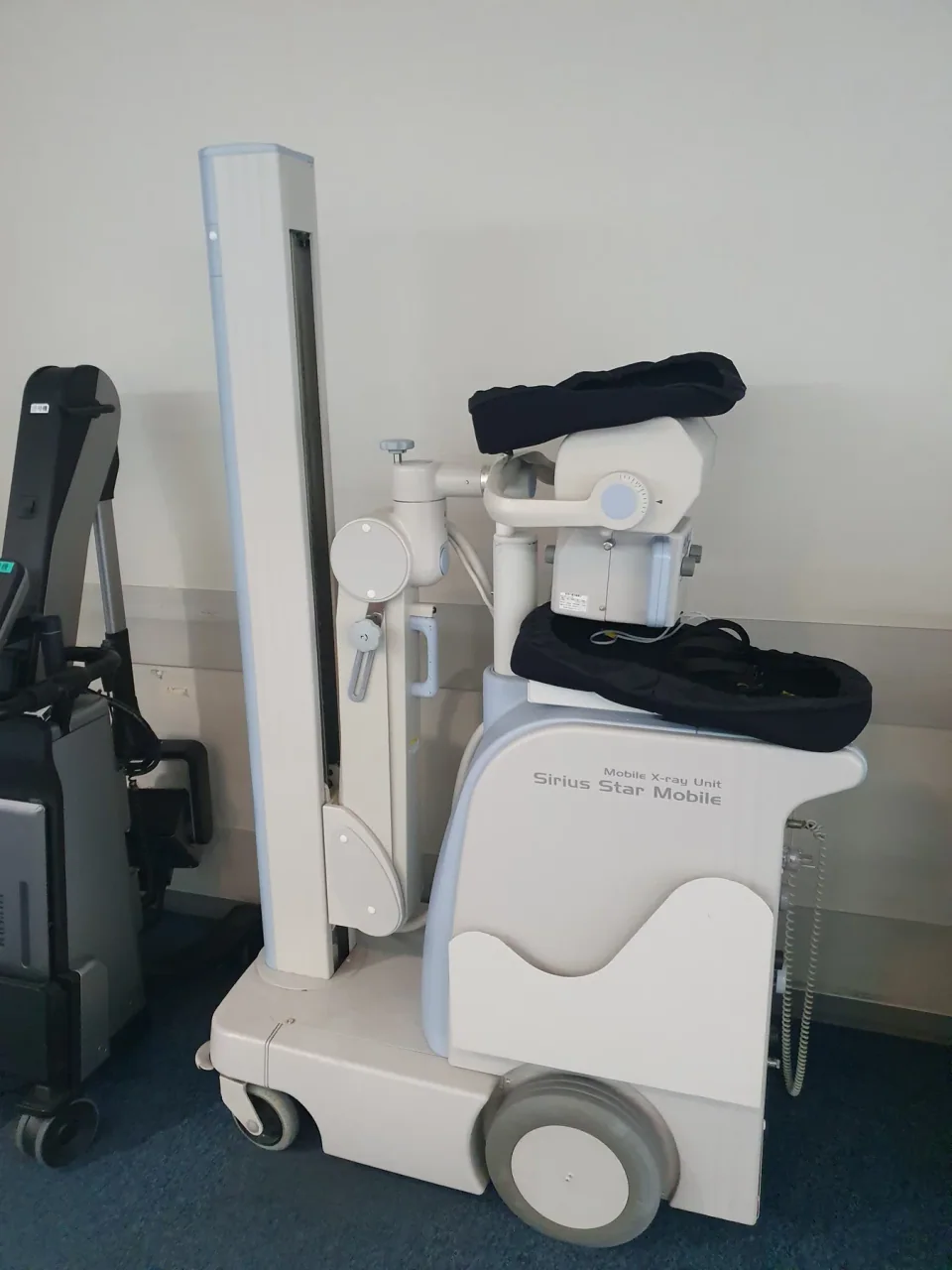
About this photograph
This photograph illustrates the equipment context. It is not evidence of a product, supplier, software configuration or service package recommended in this guide.
The decision at a glance.
- Start here
- Quote a retrofit after a qualified condition and support review of the generator, tube, table and stands. Include repairs before comparing prices.
- Spend more when
- Replace the room when positioning, mechanical condition or unavailable parts create a material limitation that a new detector leaves unresolved.
- Watch the budget
- Include the detector, workstation, licenses, batteries, networking, commissioning and training, plus future repairs to retained equipment.
- Check the support
- Assign one accountable route for integration faults and document service for both the original room and the new digital components.
Ask the supplier
- Which exact detector, controls and holder combination will you approve?
- Can you demonstrate a complete examination and successful image transfer?
- What does detector replacement cost, and who supports the retained generator?
Find the problem the digital upgrade is meant to solve
If the current difficulty is cassette processing or moving images to readers, a detector retrofit deserves investigation. If the difficulty is a failing generator, awkward positioning or an unsupported table, the same purchase may leave the important problem intact. Separate image-acquisition limitations from the condition and usability of the X-ray room.
Have the clinical and technical teams assess the existing tube, generator, table, stands, controls and required movements. List repairs needed before an upgrade and identify the remaining parts route. A functioning generator is an asset only when it remains suitable for the work and can be maintained at an acceptable cost.
Keep any required corrective work in the retrofit column. Otherwise the comparison gives the old room credit for being fully serviceable while quietly leaving the hospital to pay for defects that the initial assessment already identified.
A detector that fits still needs an accepted system
Carestream's retrofit page names cassette-format requirements for its DRX-1 offering. Fujifilm lists standard tray fit and room-retrofit configurations for FDR D-EVO III. These are useful starting points for a technical shortlist, not evidence that every installed room is ready for either package.
Have the supplier inspect and document the exact generator, exposure controls, detector holders, grids and intended workflow. Verify the supported acquisition arrangement and determine what calibration or configuration changes are required. Avoid accepting a universal compatibility statement in place of a written specification for this particular combination.
Follow an image all the way to its reader
Include the acquisition workstation, image processing, patient-identification workflow, export and receiving archive in the demonstration. Check the required DICOM functions and licenses, then verify a completed transfer with correct identifiers. Clarify storage during an interruption and who restores the connection. A panel that captures an image has completed only part of the service.
Carestream's Flex offering permits a choice of PC hardware subject to minimum requirements. That can preserve an existing investment, but it creates a specific IT assessment: supported hardware, operating system, software entitlement, updates and replacement. Include these responsibilities and the network work in the quoted package.
Choose detector quantity around the actual room workflow
Walk through the intended examinations with the radiographers. Establish how often the detector moves between table, wall stand and other locations, where it charges and who controls its availability. A shared detector may reduce initial purchases while adding handling and coordination. Decide whether that compromise is acceptable for the real schedule.
If considering a replacement room, demonstrate the motion features that would make a material difference. Carestream's DRX-Compass range illustrates differing overhead and floor-mounted arrangements. Specify the supplied configuration rather than assuming all automation is standard. Do not assign throughput savings until the team has assessed the relevant workflow.
Buy commissioning and a quality-control baseline
Plan qualified acceptance and commissioning for the final assembled system. Include image quality, exposure-control behavior, relevant exposure information and the working image-transfer pathway. Agree who investigates an unacceptable result when the generator and detector come from different suppliers. The buyer should not have to arbitrate an unresolved interface after installation.
IAEA's basic quality-control handbook includes digital-radiography exposure-index monitoring and the need for baseline values. Build the ongoing checks, training and recordkeeping into the handover. This is a reason to fund the complete change in workflow, not a basis for claiming that installing a digital panel automatically lowers every examination's dose.
Price the next repair before declaring the retrofit cheaper
Compare complete installed costs, including any repairs to retained equipment, software, batteries, commissioning and training. Obtain the detector replacement and repair terms, including accidental-damage exclusions, freight and a workable temporary option. Separately establish the support route for the generator and tube that remain in the room.
Block Imaging's comparison highlights retrofit and automated-room alternatives, but its broad cost conclusions cannot decide a specific hospital's project. Test both proposals with current quotes and a realistic major-repair scenario. Retain the room when its continuing usefulness justifies the upgrade; replace it when the underlying equipment or workflow needs a change that the panel cannot provide.
Compare the options.
Retrofit the existing room
- Capability
- Add digital acquisition while retaining suitable equipment.
- Best fit
- The room meets requirements and remains maintainable.
- Cost to watch
- Detector package plus repairs and support for retained components.
Share a transportable retrofit
- Capability
- Move an approved detector/workstation arrangement between systems.
- Best fit
- Shared use does not create unacceptable delays or failure exposure.
- Cost to watch
- Handling, availability, charging and workflow coordination.
Replace the room
- Capability
- Renew the generator/mechanics and select required motion features.
- Best fit
- The room itself is the limiting or unsupported component.
- Cost to watch
- Full installation, configuration and service.
Option notes, costs & support 4 options
Carestream DRX-1 retrofit
Existing-room baseline
- Best for
- A sound room with compatible cassette arrangements and a defined digital workflow.
- Why consider it
- Carestream offers wireless room conversion and identifies cassette-format compatibility requirements.
- The trade-off
- Physical fit does not establish the condition of retained equipment or complete integration.
- Price & package
- Quote detector, workstation, software, installation and acceptance together.
- Support
- Assign support for the retained generator/tube and the new digital components.
Carestream DRX-Transportable System/Flex
Flexible workstation option
- Best for
- A facility considering approved existing PC hardware or sharing across suitable systems.
- Why consider it
- The manufacturer describes PC choice subject to minimum requirements and beam-sensing acquisition.
- The trade-off
- A usable existing computer, network and licensed configuration still need verification.
- Price & package
- Quote the chosen detector, computer requirements, software and integration.
- Support
- Confirm responsibility for PC lifecycle, software updates and detector service.
Fujifilm FDR D-EVO III room retrofit
Alternative detector ecosystem
- Best for
- A room whose required detector sizes, accessories and service fit the Fujifilm package.
- Why consider it
- Fujifilm lists room-retrofit configurations, standard tray fit, memory mode and corded/wireless use.
- The trade-off
- Specify the exact detector size and complete workstation/accessory bundle.
- Price & package
- Configured quote required; no current delivered price verified.
- Support
- Confirm spare batteries, detector replacement and local software support.
Carestream DRX-Compass, specified room configuration
Full-room replacement comparison
- Best for
- A service with a demonstrated positioning, mechanical or support limitation.
- Why consider it
- Carestream documents overhead and floor-mounted arrangements with different motion features.
- The trade-off
- Automation has to improve the actual workflow enough to justify installation and upkeep.
- Price & package
- Quote the entire room, building work, detector package and commissioning.
- Support
- Confirm the exact included motion features and long-term component coverage.
Budget for the complete service.
DR upgrade cost = detector/workstation/software + retained-equipment repairs + integration and commissioning + batteries and service + continuity provision.
- Retained generator and tube condition
- Detector quantity and replacement
- Workstation and software lifecycle
- Network/archive integration
- Training and quality-control resources
Before you commit.
- Assess retained generator, tube, table and stands.
- Specify detector size, holders, exposure controls and interfaces.
- Demonstrate acquisition through archive transfer.
- Price workstation, licenses, batteries and networking.
- Agree acceptance, commissioning and QC responsibilities.
- Verify detector replacement and retained-equipment support.
- Compare full project and interruption costs.
Further checks & evidence limits
Questions to resolve
- Does the main limitation sit in acquisition or the existing room?
- Who owns faults at the generator-detector-software interface?
- Can the remaining equipment be supported through the planning period?
What the evidence does not establish
- No universal price advantage, throughput increase or radiation-dose reduction is established.
- Exact integration, local prices and support require a site-specific assessment and quotation.
Sources & supporting evidence.
Manufacturer claims and seller offers are identified below. Prices apply to the stated offer and review date; confirm availability, configuration and delivered cost.
- DR retrofit solutions: DRX-1 and related configurationsCarestream · manufacturer · checked October 17, 2026
Identifies wireless retrofit options and specified cassette-format compatibility; complete local integration must still be verified.
- DRX-Transportable System/FlexCarestream · manufacturer · checked October 17, 2026
Describes beam sensing, shared-system configurations and PC choice subject to minimum hardware requirements. No form was submitted.
- FDR D-EVO IIIFujifilm · manufacturer · checked October 17, 2026
Lists room-retrofit configurations, standard table/upright tray fit, memory capability, batteries and corded/wireless operation.
- Carestream X-ray solutions: DRX-Compass overhead and floor-mounted optionsCarestream · manufacturer · checked October 17, 2026
Current manufacturer campaign describes overhead and floor-mounted Compass arrangements and motion features; package availability must be quoted.
- Handbook of Basic Quality Control Tests for Diagnostic RadiologyIAEA · institutional guidance · checked October 17, 2026
Human Health Series No. 47 includes digital-radiography exposure-index checks, commissioning baselines and system-specific AEC assessment. The publication is 2023 despite the filename's number.
- Automated Digital X-Ray vs. Analog X-Ray with Digital Panel UpgradeBlock Imaging · seller perspective · checked October 17, 2026
Frames detector retrofit versus automated-room purchase. Its general cost and remodeling claims are not adopted as project-specific facts.
Put the guide to work.
Send MMS your equipment list, destination and budget. We can help you compare a complete package.
Discuss your equipment