
Buy the software rights and the recovery plan, too
Record what software the hospital may use, who supports it and how the service returns after a failure.
Sources reviewed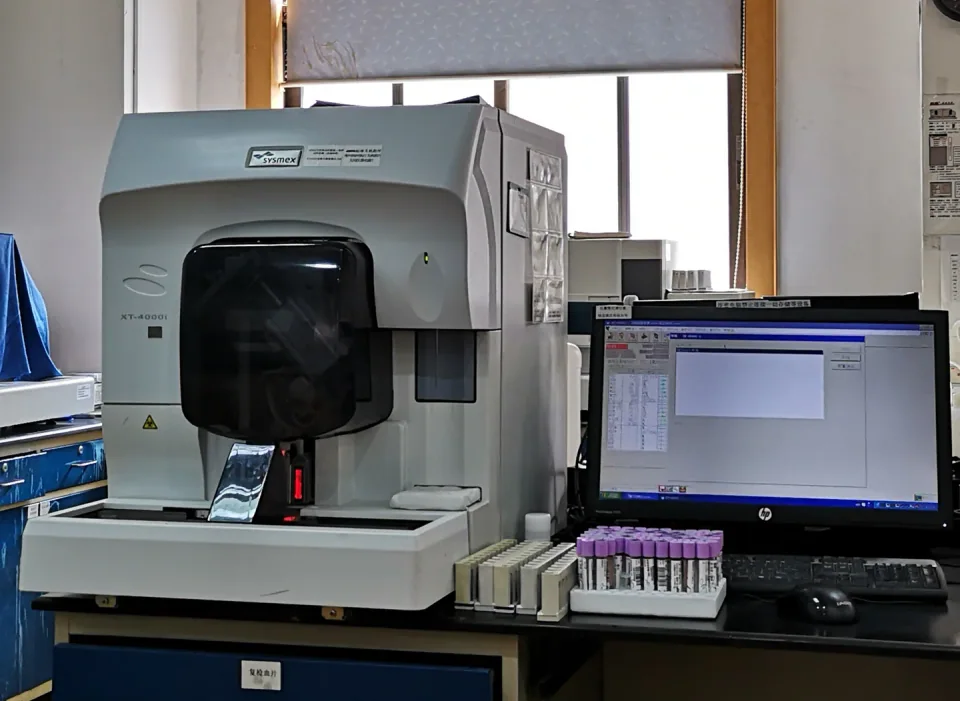
About this photograph
This photograph illustrates the equipment context. It is not evidence of a product, supplier, software configuration or service package recommended in this guide.
The decision at a glance.
- Start here
- Create a schedule of required features, versions, licence terms, destination rights, recurring charges and named support providers. Verify it against the delivered configuration.
- Spend more when
- A documented supported upgrade preserves useful equipment and meets the hospital's capability, security and continuity requirements at an acceptable complete cost.
- Watch the budget
- Include interface work, renewals, activation, authorized recovery, training, migration and any required computer replacement.
- Check the support
- Obtain configuration-specific security information and support dates. Assign account ownership, update review, backups and recovery duties; establish which functions remain during an outage.
Ask the supplier
- Which feature rights transfer to this hospital?
- What updates and support dates apply to this configuration?
- Who restores licensed operation after the computer fails?
List the functions that must survive the sale
Create a software schedule alongside the hardware list. For each required function, record the product or feature name, installed version, licence type, receiving organization, permitted site, renewal conditions and evidence supplied. Include interfaces, reporting tools and service software where relevant. Mark demonstrations and trial functions separately until their continuing entitlement is confirmed.
A used system may show a feature that the purchaser has not established a right to retain. GE HealthCare's published India terms illustrate why the actual agreement matters: software rights can depend on specified hardware and site, with conditional transfer and additional product terms. Treat that as a regional example, then obtain the terms for your transaction.
Give support its own dates and deliverables
Ask separately about equipment service, application support, operating-system support, security updates and any hosted service the workflow requires. Record the applicable dates and which provider owns each commitment. Request the cost and process for a supported upgrade if one is available. A general statement that service is available should not fill every box.
Have hospital IT and biomedical engineering review the security information for the exact configuration. Philips describes model-specific security-status documents and a Manufacturer Disclosure Statement for Medical Device Security, or MDS2. These can address patches, backups, remote access and audit records. Request the relevant documents and review their limits; a vendor's general security webpage is not a product-specific assessment.
Name the people who receive access and notices
Identify the hospital owner of ordinary user administration, authorized technical access, supplier support registration and renewal notices. Agree how access transfers when staff leave or the service company changes. Require the supplier to distinguish customer-manageable functions from tasks requiring authorized service. Do not accept an undocumented personal account as the hospital's long-term support arrangement.
FDA describes cybersecurity as a shared responsibility between manufacturers and healthcare delivery organizations. Turn that division into named duties: who evaluates a notice, who approves a change, who arranges the work and who checks that the service is ready afterward. Keep these responsibilities in the handover rather than assuming that the IT team or supplier owns everything.
Separate a backup from a recoverable service
Ask what can be backed up and what must be obtained again from the supplier. Record responsibility for configuration, data, licences, installation materials and restoration work. Establish the permitted backup arrangements under the actual licence and the hospital's information policies. Price any supplier visit or activation needed after a storage device or computer fails.
Request an authorized recovery demonstration or documented verification appropriate to the equipment, supervised by the responsible technical team. Define the required evidence in advance. A file copied to a drive does not by itself establish that the equipment can be restored, licensed and returned to its approved configuration. Record what was verified and what still depends on supplier access.
Ask which functions remain during an outage
Have users identify the tasks they need during an internet, network or hosted-service interruption. Ask the vendor to state which functions remain available, which stop and what records may need reconciliation afterward. Include local access to approved instructions and support contacts. Obtain documented answers for the offered configuration rather than assuming a device has a usable offline mode.
Review those answers with the hospital's continuity team and agree an appropriate verification plan. Some services may require an alternative workflow or replacement equipment. Record the resources and costs of that plan. Disconnecting a system is not automatically a complete security or clinical continuity solution, and this buying guide does not prescribe network changes.
Make the schedule part of acceptance
Before award, compare a supported purchase, an upgrade of suitable installed equipment and a planned replacement against the same functions and continuity requirements. Include recurring charges, interfaces, staff preparation, migration and support. Identify what happens when a subscription or service agreement ends, including continued access to the hospital's records.
At handover, reconcile the software schedule with the installed configuration and supplied evidence. Confirm authorized access, support registration, backup ownership and the recovery contacts. Give unresolved items an owner and deadline. The resulting record should let the hospital explain what it bought, what it may keep using and how it will recover the service when a component or supplier relationship changes.
Compare the options.
Supported purchase
- Capability
- Required software functions and rights documented.
- Best fit
- A complete evidence-backed configuration is available.
- Cost to watch
- Licences, interfaces, support and recovery.
Supported upgrade
- Capability
- Retains suitable hardware with an approved software path.
- Best fit
- The upgrade meets the same service requirement.
- Cost to watch
- Compatibility work, downtime and training.
Planned replacement
- Capability
- Resolves unacceptable entitlement or support gaps.
- Best fit
- A sustainable route for the old configuration is unavailable.
- Cost to watch
- Migration and complete changeover.
Option notes, costs & support 3 options
Purchase a fully specified supported configuration
Complete new-to-hospital package
- Best for
- A hospital acquiring equipment with required software and interface functions.
- Why consider it
- An entitlement schedule can identify included features, support obligations and recovery materials before award.
- The trade-off
- Public product pages cannot establish the actual serial's rights or contract scope.
- Price & package
- Quote licences, implementation, recurring charges and recovery support separately.
- Support
- Confirm the receiving organization, site and exact software versions in writing.
Upgrade a suitable installed platform
Preserve useful equipment
- Best for
- Hardware that still meets requirements with a verified supported software route.
- Why consider it
- A documented upgrade can be compared with complete replacement using the same required functions.
- The trade-off
- Compatibility, downtime, entitlement changes and training need assessment.
- Price & package
- Include upgrade work, validation by responsible staff, interfaces and changeover.
- Support
- Obtain the post-upgrade support dates and recovery procedure.
Replace a configuration with unresolved support gaps
Plan an orderly changeover
- Best for
- Equipment whose required rights or acceptable support and recovery route cannot be established.
- Why consider it
- Replacement can be assessed against documented gaps rather than age alone.
- The trade-off
- Data, workflow and training migration may be substantial.
- Price & package
- Compare full replacement, migration, retention obligations and interim service.
- Support
- Require usable records and authorized data handling at handover and retirement.
Budget for the complete service.
Software-supported equipment cost = entitled features + integration and implementation + recurring support + approved updates + backup and recovery + migration and continuity.
- Feature and interface licences
- Renewals and support scope
- Operating-system or application upgrades
- Restoration, activation and engineer access
- Data and workflow migration
Before you commit.
- List every required feature, version and entitlement.
- Verify destination and ownership-transfer terms for the actual transaction.
- Record separate application, operating-system and security-support commitments.
- Assign authorized access, update review and notice recipients.
- Document permitted backups and a verified recovery route.
- Define outage behavior, recurring costs and contract-exit obligations.
Further checks & evidence limits
Questions to resolve
- Which rights transfer to this hospital for every required feature?
- Until when is this configuration supported, and what updates are included?
- Who restores the software, settings and authorized operation after a computer failure?
What the evidence does not establish
- No product-specific security approval, universal licence-transfer rule or support-end date is asserted.
- Recovery, data handling and offline capabilities must be confirmed for the actual configuration by qualified hospital staff and the supplier.
Sources & supporting evidence.
Manufacturer claims and seller offers are identified below. Prices apply to the stated offer and review date; confirm availability, configuration and delivered cost.
- CybersecurityUS FDA · institutional guidance · checked October 17, 2026
States that manufacturers and healthcare delivery organizations share cybersecurity mitigation responsibilities; hospital network security and manufacturer device risk management are distinct duties. Links lifecycle and preparedness resources.
- Product SecurityPhilips · manufacturer · checked October 17, 2026
Describes product-specific security status documents and MDS2 information covering backups, patches, removable media, remote service access and audit logs. Documents require customer registration; no specific product's security status was inferred.
- Terms and Conditions: India, operating and basic service software licenceGE HealthCare · manufacturer terms · checked October 17, 2026
Section 9 ties the software licence to specified hardware/site, permits a backup copy and describes conditional transfer, subject to additional product terms. Used solely as a regional example; the actual transaction's licence governs.
Put the guide to work.
Send MMS your equipment list, destination and budget. We can help you compare a complete package.
Discuss your equipment