Your scanner sends images. Can your team still find them tomorrow?
Buy an image workflow that covers identity, reading, retention, outages and eventual export—not just a successful DICOM connection.
Sources reviewed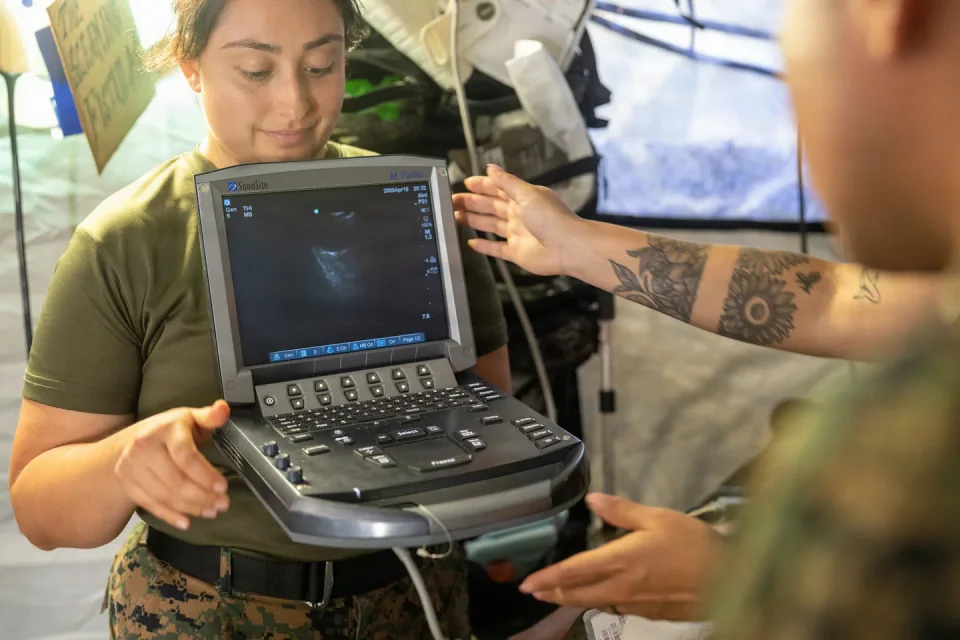
About this photograph
This photograph illustrates the equipment context. It is not evidence of a product, supplier, software configuration or service package recommended in this guide.
The decision at a glance.
- Start here
- Test the existing supported workflow first. Map each step to its responsible system, person and acceptance evidence before buying additional software or storage.
- Spend more when
- A demonstrated access, capacity, integration or recovery gap requires a different local, hosted or hybrid arrangement that the team can maintain.
- Watch the budget
- Include interfaces, viewers, storage growth, connectivity, support, backup verification, infrastructure replacement and a future bulk export. Compare identical workload assumptions.
- Check the support
- Match conformance statements to actual versions. Demonstrate current and prior study access during the agreed outage, then verify restoration and reconciliation.
Ask the supplier
- Which exact versions and licensed services will you test together?
- What remains accessible during an internet or local-network interruption?
- How do we receive a complete usable export when the agreement ends?
Follow one study all the way through
Start with the people who need the images and the moments when they need them. A technologist sends a study, a reader opens it, a clinician compares it with an earlier examination, and another hospital requests a copy. Those are separate transactions. A demonstration that stops after transmission does not prove the rest.
Draw a worksheet with five columns: step, responsible system, responsible person, required result and test evidence. Include patient identification, reading access, reports, prior studies and export. Use representative studies from each proposed modality, with appropriately authorized test data, rather than judging the purchase from a vendor's demonstration library.
Match the actual software and services
DICOM conformance statements describe supported information objects and services. The standard's conformance section does not itself prescribe validation procedures or require every optional feature for every device. The purchasing implication is practical: obtain statements for the actual software versions at both ends, then have the integration team assess and test the required workflow.
GE publishes conformance information for network services, media exchange and information objects. Ask the scanner seller and PACS provider to identify the relevant documents and licensed options. Record who fixes a mismatch, who pays for an interface change, and whether that work is included before acceptance.
Separate receiving an image from keeping it
DICOM distinguishes Storage from Storage Commitment. Accepting a transmission does not, by itself, establish an explicit safekeeping obligation. Storage Commitment describes an implementation-specific commitment, including the period and retrieval capabilities documented by the receiving system. It is therefore important to ask what the purchased archive actually promises.
Have the hospital set its retention requirements and identify where complete studies, reports and relevant associated objects reside. Ask the provider to describe capacity limits, backup arrangements, restoration responsibilities and deletion behavior. A storage dashboard showing spare capacity is different evidence from a successful restoration of a selected study after a simulated failure.
Make offline access a specific requirement
“Works offline” can mean several things: the scanner continues acquiring, a workstation displays recently cached studies, or the department retrieves its full local archive. Specify which people must do which tasks during an internet or internal-network interruption. Include the duration the hospital needs to accommodate without inventing a universal target.
Ask for a controlled demonstration of that scenario. Record which images, prior studies and reports remain available, what cannot be done, and how information is reconciled when connectivity returns. Clinical and IT teams should approve the operating procedure. An untested cache setting should not become the hospital's entire continuity plan.
Buy the right to leave with usable data
Request an example export before signing. Have the receiving team open it in the intended destination and verify study identity, completeness and the objects it needs. A screenshot or a printable image may serve one purpose while failing the hospital's archive-transfer requirement. Specify both routine referral exports and a future bulk migration.
Put the export format, assistance, turnaround, charges and responsibilities into the agreement. Ask what happens when a subscription ends or a supplier is replaced. For hosted services, obtain an explanation of how the hospital receives its information and how the agreed retention and deletion instructions are handled.
Compare costs against the same tested journey
Use the same planning period for local, hosted and hybrid proposals. Include interfaces, viewers, storage growth, connectivity, support, replacement infrastructure, backup verification and migration. Separate committed charges from volume-dependent ones. Ask suppliers to price the hospital's own activity assumptions rather than adopting an attractive but irrelevant sample workload.
Finish the worksheet with a named acceptance owner for every step. The least expensive useful proposal is the one that delivers the agreed journey within the hospital's operating capacity. A familiar existing system deserves consideration when it passes; a new platform earns its premium by resolving a demonstrated problem.
Compare the options.
Extend current system
- Capability
- Add a verified modality workflow.
- Best fit
- Existing service passes continuity and export tests.
- Cost to watch
- Interfaces, licenses and capacity.
Local
- Capability
- Defined onsite reading and storage.
- Best fit
- Maintainable local operating environment.
- Cost to watch
- Infrastructure, staff and recovery.
Hosted
- Capability
- Contracted remote image services.
- Best fit
- Connectivity and outage provisions meet requirements.
- Cost to watch
- Recurring storage, connectivity and exit.
Hybrid
- Capability
- Local access plus remote services.
- Best fit
- A demonstrated offline-access need.
- Cost to watch
- Duplicate capacity and coordination.
Option notes, costs & support 4 options
Extend the existing PACS and archive
First comparison
- Best for
- A hospital with a supported workflow and a specific new modality.
- Why consider it
- Matching conformance statements and a witnessed transfer can establish the proposed integration's scope.
- The trade-off
- Additional licenses, capacity or interfaces may be needed.
- Price & package
- Quote the complete added modality and storage obligation.
- Support
- Name who resolves scanner-to-archive failures.
Local PACS and archive
Local access option
- Best for
- A facility that can fund and maintain onsite infrastructure.
- Why consider it
- An onsite design can be evaluated against the hospital's defined connectivity-outage requirement.
- The trade-off
- Hardware, backups, recovery and skilled support remain explicit responsibilities.
- Price & package
- Include server replacement, support and restore testing.
- Support
- Demonstrate failure recovery and access controls.
Hosted image-management service
Service-based option
- Best for
- A facility with suitable connectivity and a defined service agreement.
- Why consider it
- Purchasing storage and retrieval as a service can be compared against explicit retention and access requirements.
- The trade-off
- Connectivity, recurring fees and bulk export need examination.
- Price & package
- Quote storage growth, retrieval, interfaces and exit charges.
- Support
- Define service availability and the process during loss of internet.
Hybrid arrangement with defined local access
Continuity option
- Best for
- Sites needing selected studies locally while using a remote archive.
- Why consider it
- A buyer can specify which studies remain accessible and how reconciliation works after interruption.
- The trade-off
- Two locations create additional support and synchronization obligations.
- Price & package
- Include local capacity, hosted fees and end-to-end testing.
- Support
- Test exactly which images and reports are available offline.
Budget for the complete service.
Comparable image-workflow cost = integration + viewing and archive services + storage growth + connectivity and recovery + support + eventual migration.
- Modality and viewer licenses
- Storage and backup growth
- Internet and local infrastructure
- Restore and interoperability testing
- Bulk export and migration
Before you commit.
- List each modality and exact software version beside its conformance statement.
- Record who can access current and prior images during each outage scenario.
- State retention, retrieval, backup and restore responsibilities separately.
- Witness a routine export and a representative restoration.
- Price growth, interfaces, support and eventual bulk migration.
Further checks & evidence limits
Questions to resolve
- Can both suppliers demonstrate the complete study journey using the offered versions?
- What remains usable during each relevant outage?
- What does a complete export cost, and who verifies it?
What the evidence does not establish
- No product-specific interoperability is established without matching statements and testing.
- No universal retention period, service availability or storage-price assumption is used.
Sources & supporting evidence.
Manufacturer claims and seller offers are identified below. Prices apply to the stated offer and review date; confirm availability, configuration and delivered cost.
- DICOM PS3.2: Scope and Field of ApplicationDICOM Standards Committee · primary standard · checked October 17, 2026
Current 2026d text explains conformance statements and the limits of conformance and validation scope.
- DICOM PS3.4: Storage Commitment Service ClassDICOM Standards Committee · primary standard · checked October 17, 2026
Distinguishes acceptance of transmitted objects from explicit storage commitment and documented retention/retrieval capabilities.
- Interoperability: DICOM conformance statementsGE HealthCare · manufacturer · checked October 17, 2026
Explains the network-service, media-exchange and information-object capabilities covered by manufacturer conformance statements.
Put the guide to work.
Send MMS your equipment list, destination and budget. We can help you compare a complete package.
Discuss your equipment