Colposcopes: pay for the view you need—and the images you must keep
Optical examination, image capture and connected reporting are different purchases. Compare magnification, clinician fit and the complete documentation package before upgrading.
Editorially reviewed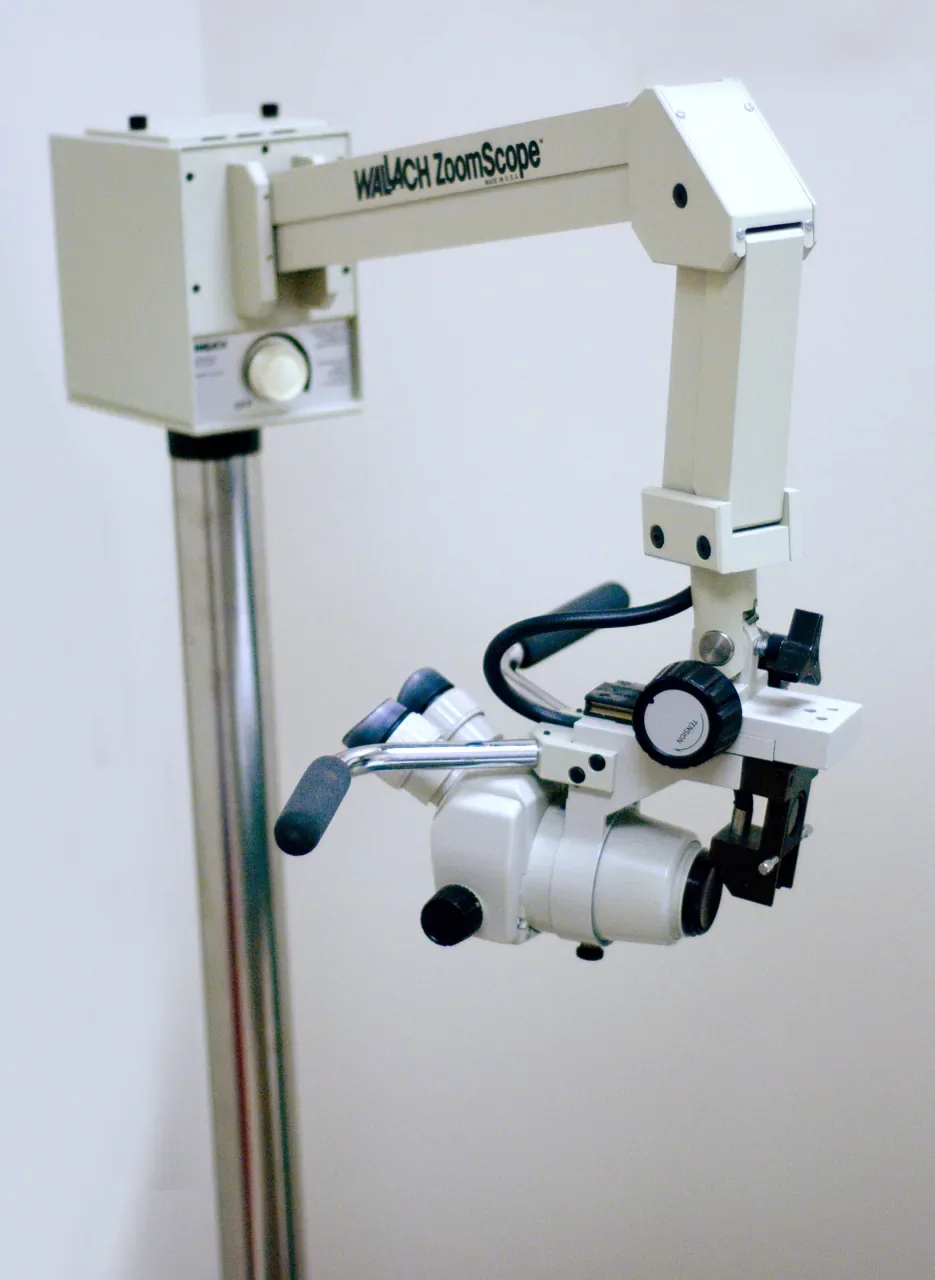
About this photograph
Not evidence of MMS stock, recommended options, current support, performance or endorsement.
The decision at a glance.
- Start here
- Define the required optical examination and image-recording workflow as separate purchasing decisions.
- Spend more when
- Required selectable optics or a supported documentation workflow supplies useful missing capability.
- Watch the budget
- Colposcopy package cost = accepted optical head and stand/mount + required camera/capture/reporting options + installation, training, supported software, records protection and maintenance.
- Check the support
- The offer cannot establish the exact optical model, complete mounting/capture package or maintainable records workflow.
Ask the supplier
- Which exact optical model, magnifications, viewing angle and filter meet the clinician’s brief?
- What camera, adapters, workstation, software release and reporting licences are included?
- Which stand/mount and acceptance, record-export, backup and ongoing support arrangements make the package complete?
Separate the optical decision from the recording decision
A clinician may need an appropriate illuminated binocular view without a connected recording workstation. Another service may need retained images, teaching material or transfer into a patient record. Write those requirements separately. Buying a camera-equipped instrument without the required reporting route can cost more while leaving the documentation problem unresolved.
Leisegang’s standard-model page gives a useful optical comparison: the 1E LED has fixed 15× magnification, while the 1D LED offers 7.5×, 15× and 30×. The deciding question is whether the clinician needs those selectable views for the intended service, not whether the larger specification list looks better.
Have the intended users evaluate the optical view, focusing, reach and working posture with the actual patient chair and room arrangement. This is equipment selection, not a claim that a particular magnification improves diagnostic accuracy or replaces training.
An angled head changes more than posture
The manufacturer identifies 45-degree angled oculars on the 1DW LED, but also states that this version has no green filter. Do not assume it is simply a 1D LED with a more comfortable viewing angle. Let the clinician decide whether that configuration fits the required examination.
Make the same distinction when comparing documented photo/video models. Leisegang describes the 3ML LED for use with an external camera; the angled 3MLW LED also lacks the green filter. A family name or seller photograph can hide these differences, so put the exact model and required functions on the acceptance record.
A used optical instrument should be assessed for its actual optical, illumination, mechanical and electrical condition by appropriately qualified personnel. Compare a supported repair with replacement when the present instrument still meets the clinical brief. Do not treat age or a new LED label as a measured reliability ranking.
Price the route from image to patient record
For documentation, list the camera, compatible adapters, capture hardware, software, workstation and required connections. A photo/video-capable head does not establish that these are included. Demonstrate capture, correct patient identification, retrieval and the required export using the offered combination before accepting a complete recording package.
Leisegang’s MediaWorkStation page separates recording and file/report functions from optional DICOM Push and Worklist capabilities. Do not assume a quoted software name includes those options, or that DICOM alone proves it will work with the receiving system. Have the local information team test the intended workflow and establish the relevant licences.
Budget current supported operating systems, access controls, backups, recovery and continuing technical help. An older workstation that shows a live picture may still be a poor purchase if its software cannot be maintained or its records cannot be recovered. Keep those questions tied to the exact offered release, without assuming that a public product page guarantees current support.
The stand and room can decide what is usable
Leisegang lists mobile and chair-mounted arrangements and explicitly treats stands and spider bases as accessories. Confirm that the quote includes the required support and fittings. A head offered at a low price is not a complete room installation.
Check the manufacturer-approved mounting arrangement, movement around the chair, access, cable routing and cleaning needs with the responsible facility and clinical teams. Compare the complete installed package rather than improvising a mount after delivery. Include training and acceptance of both the optical and documentation functions.
Keep a satisfactory optical-only system when recording is not required. If documentation is the missing capability, evaluate an approved supported addition before replacing the whole instrument; do not assume every older head can be upgraded. Choose a complete new imaging/reporting package when it solves that requirement and its conversion and ongoing support costs are justified.
Compare the options.
Optical-only 1E LED or 1D LED configuration
- Capability
- Separates fixed 15× from selectable 7.5×/15×/30× optics.
- Best fit
- A service whose documentation requirement does not need recorded images.
- Cost to watch
- Clinician evaluation determines fit; confirm the complete stand package.
3ML LED with a complete capture package
- Capability
- Manufacturer identifies an external-camera configuration.
- Best fit
- A service requiring supported retained images.
- Cost to watch
- Camera, adapters and recording components must be explicitly included.
Connected capture/reporting package with required MWS options
- Capability
- Separates capture from optional DICOM functions and the full records workflow.
- Best fit
- A service with a defined patient-record integration requirement.
- Cost to watch
- Current software support, licences and receiving-system acceptance remain essential.
Option notes, costs & support 3 options
For every option
- Price & package
- Compare the complete configured package; no current matched price established.
- Support
- Establish exact equipment, accessory and destination support; public documentation does not guarantee unit eligibility.
Optical-only 1E LED or 1D LED configuration
Examination-first comparison
- Best for
- A service whose documentation requirement does not need recorded images.
- Why consider it
- Separates fixed 15× from selectable 7.5×/15×/30× optics.
- The trade-off
- Clinician evaluation determines fit; confirm the complete stand package.
3ML LED with a complete capture package
Image-documentation comparison
- Best for
- A service requiring supported retained images.
- Why consider it
- Manufacturer identifies an external-camera configuration.
- The trade-off
- Camera, adapters and recording components must be explicitly included.
Connected capture/reporting package with required MWS options
Workflow comparison
- Best for
- A service with a defined patient-record integration requirement.
- Why consider it
- Separates capture from optional DICOM functions and the full records workflow.
- The trade-off
- Current software support, licences and receiving-system acceptance remain essential.
Budget for the complete service.
Colposcopy package cost = accepted optical head and stand/mount + required camera/capture/reporting options + installation, training, supported software, records protection and maintenance.
- Fixed versus selectable magnification
- Angled ocular/filter tradeoff
- Camera-ready versus complete capture
- Optional reporting integration
- Stand and installed-room fit
Further checks & evidence limits
Questions to resolve
- Which exact optical model, magnifications, viewing angle and filter meet the clinician’s brief?
- What camera, adapters, workstation, software release and reporting licences are included?
- Which stand/mount and acceptance, record-export, backup and ongoing support arrangements make the package complete?
What the evidence does not establish
- Manufacturer pages have no established publication dates; accessed2026-10-18. They do not establish serial-specific support or current offer contents.
- No current matched prices, diagnostic-performance comparison or independent reliability ranking established.
- Current MWS operating-system/cybersecurity support and actual integration require exact release documentation; old IDS upgrade claims not carried forward as a promise.
Sources & supporting evidence.
Manufacturer claims and seller offers are identified below. Prices apply to the stated offer and review date; confirm availability, configuration and delivered cost.
- Leisegang standard colposcopesLeisegang · manufacturer · checked October 18, 2026
Full substantive model body read. 1E LED has fixed 15× magnification; 1D LED has 7.5×/15×/30×; 1DW LED has 45-degree angled oculars without a green filter. No diagnostic-superiority claim or current price inferred.
- Leisegang photo/video colposcopesLeisegang · manufacturer · checked October 18, 2026
Full substantive description read:3MLLED intended for external camera,3MLWLED angled oculars/no green filter. Does not establish that a particular offered package includes camera/adapters/software.
- Leisegang stands and basesLeisegang · manufacturer · checked October 18, 2026
Full substantive stand description read: mobile/chair-mounted choices; stands and spider bases explicitly accessories. No independent ergonomic outcome or local installation feasibility established.
- Leisegang MediaWorkStationLeisegang · manufacturer · checked October 18, 2026
Full substantive software/options table read. Basic capture/recording/export; Classic additional functions; DICOMPush/Worklist optional. Current operating-system support, cybersecurity, licensing terms and destination integration not established.
Put the guide to work.
Send MMS your equipment list, destination and budget. We can help you compare a complete package.
Discuss your equipment